Lifetime spend
How much the fan has spent in total. A whale is obvious from the first message.
Leeward gives a chat team one place to work: Leeward Chat, inside a desktop app for macOS and Windows. OnlyFans and Fansly conversations sit in the same chat, every fan is a tab, and the fan card is open next to the conversation.
A chatter rarely works one conversation at a time. On a busy shift it’s ten, sometimes more. In Leeward Chat every open fan is a tab and the tab shows the fan’s spend. Switching between conversations is one click, and the chatter sees which tabs are worth the time before opening them.
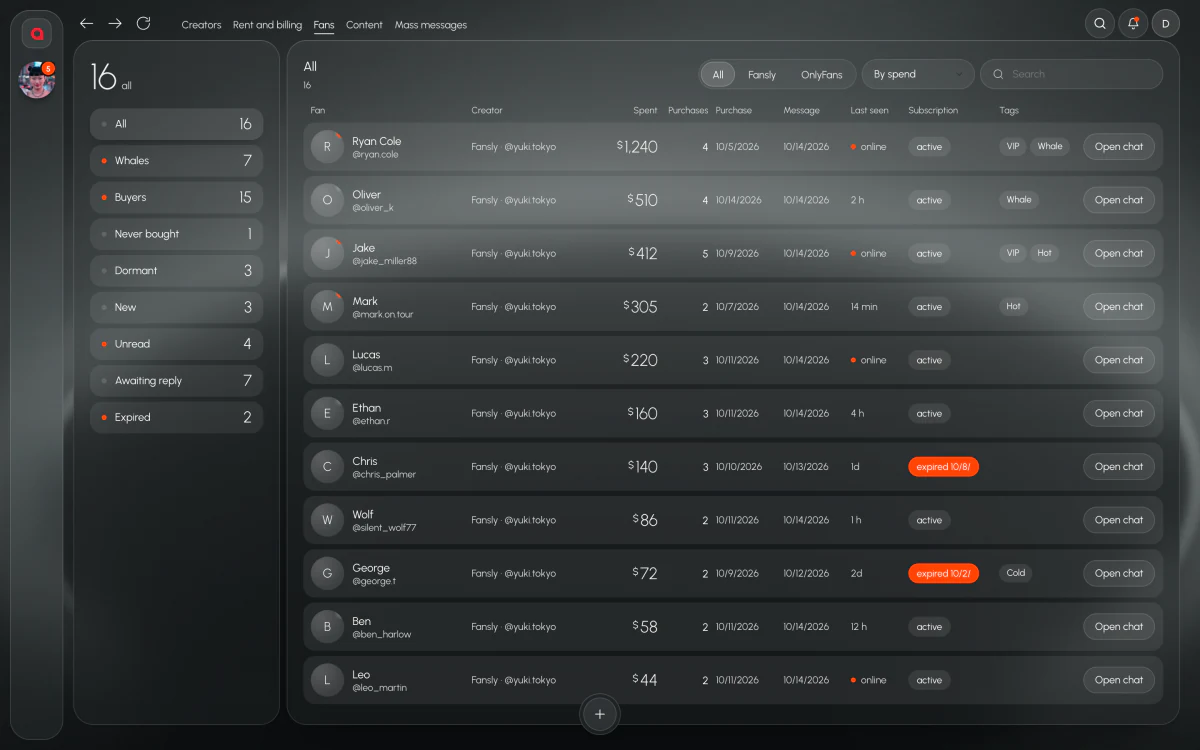
OnlyFans and Fansly models are worked in the same Leeward Chat. A chatter who covers models on both platforms doesn’t keep two tools open and doesn’t lose a fan between them.
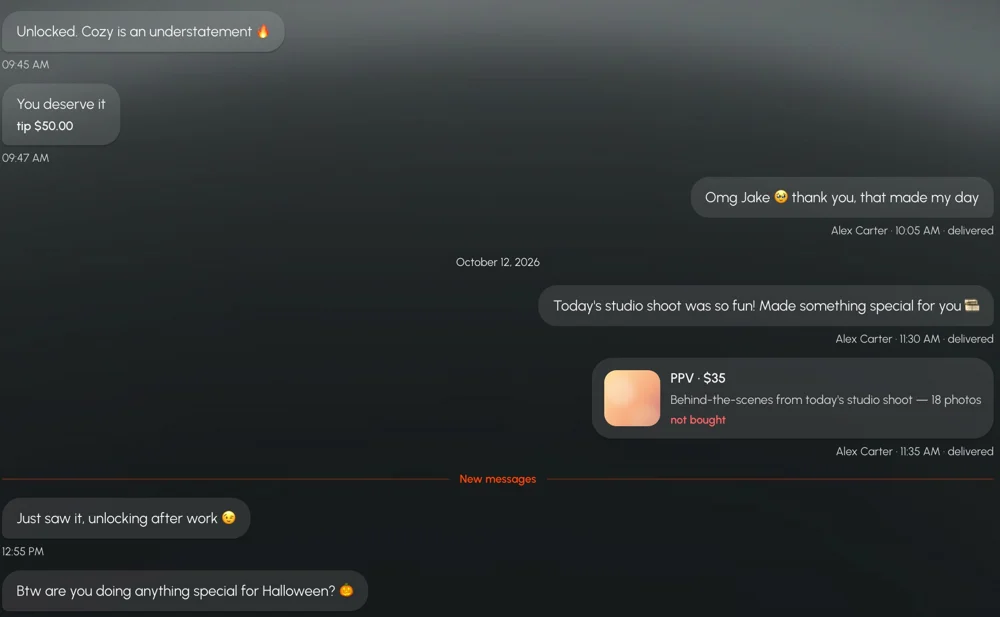
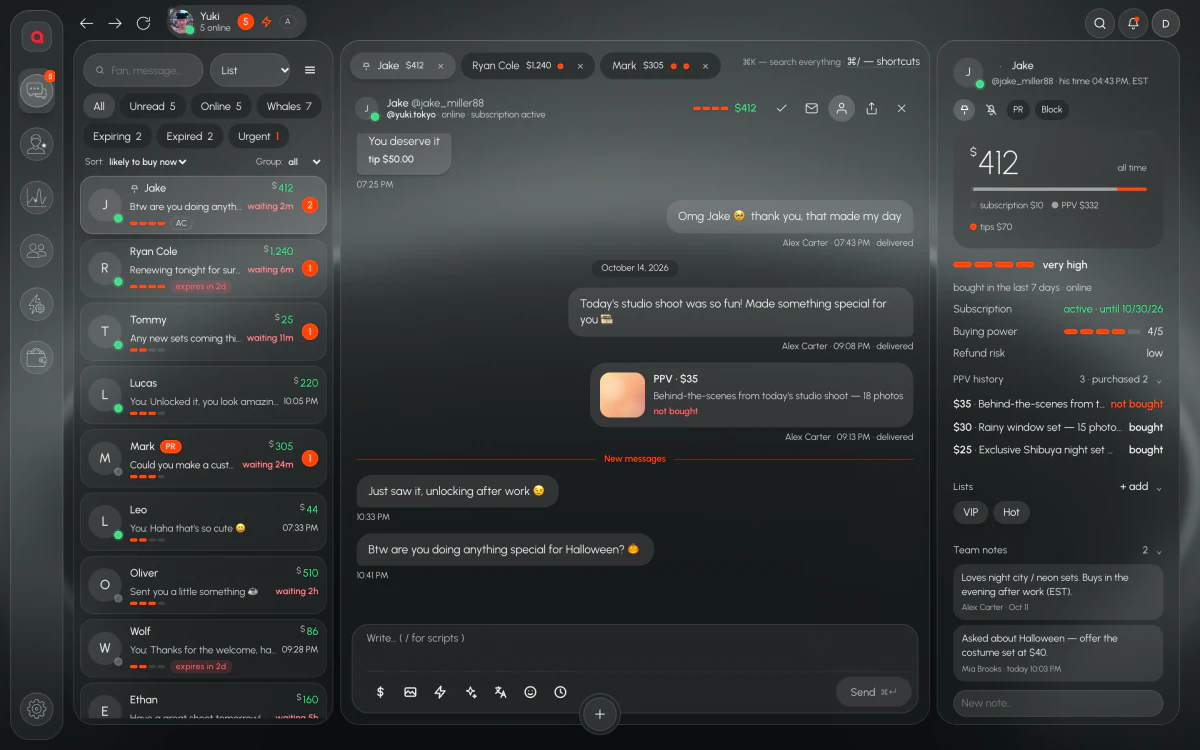
Six filters: Unread, Online, Whales, Expiring, Expired, Urgent. They answer the questions a chatter has all shift long: who is waiting for a reply, who is here right now, who spends the most, whose subscription is about to end, who already left and what can’t wait.
A good PPV offer depends on who is on the other side. The fan card stays open next to the conversation: lifetime spend, PPV history, subscription end, lists and notes. A chatter sees what the fan bought before, how long the subscription has left and what the previous shift wrote about them, without asking anyone.
How much the fan has spent in total. A whale is obvious from the first message.
What was sent and what was bought, so the next offer isn’t a repeat of one they skipped.
When the subscription runs out. Works well together with the Expiring filter.
The lists the fan is in and notes from the team, so context doesn’t get lost between shifts.
To add a chatter, you send an invite link and they join through it. Model passwords don’t get passed around in Telegram or a shared doc, because the chatter doesn’t need them.
A new chatter who doesn’t know the app yet can ask the built-in AI administrator. It answers questions about the interface and walks through the steps, highlighting the right element on the screen. Your manager doesn’t have to explain the same buttons to every new hire.
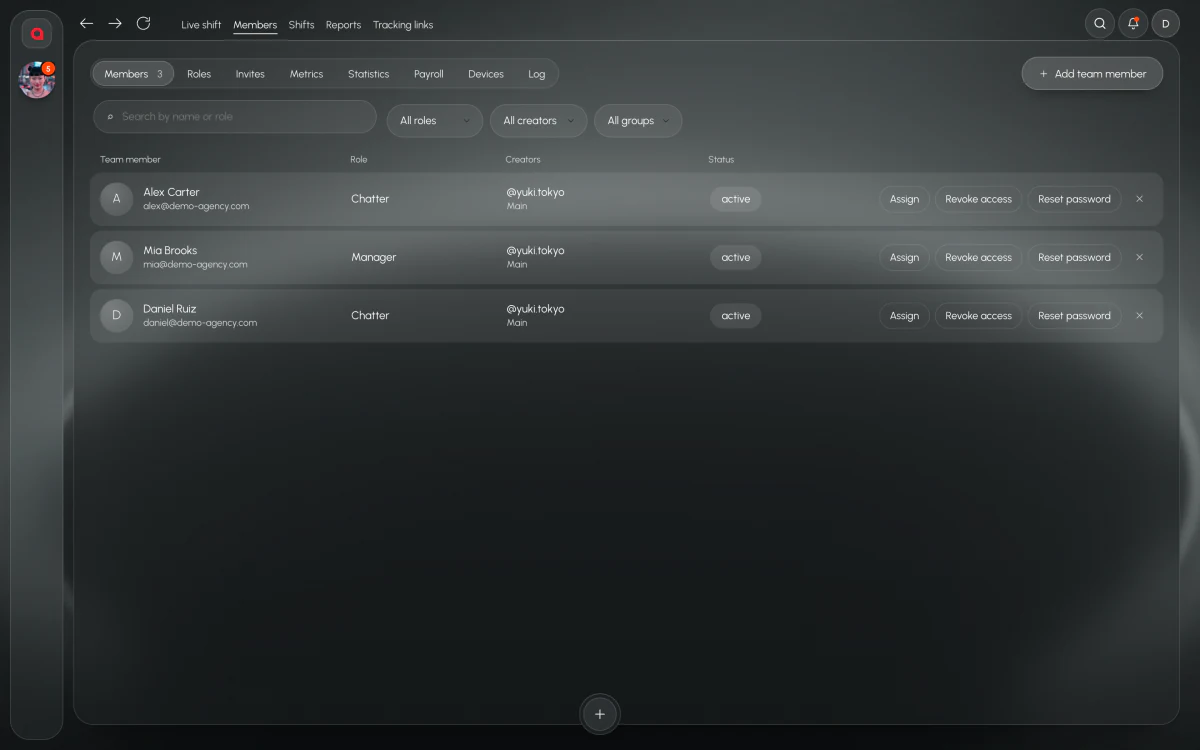
Every person on the team has a role. A chatter sees only the models assigned to them and never sees the model’s password. The model’s session is stored inside Leeward, encrypted, and every model has a dedicated US proxy that is included in the price and replaced if it fails.
Messages go through a leak filter. It’s a check on what leaves the chat, so the agency doesn’t rely only on every chatter remembering the rules at four in the morning.
Mass messages and automations live in the same app as the chat, so sending to many fans at once doesn’t need a separate tool or a separate login.
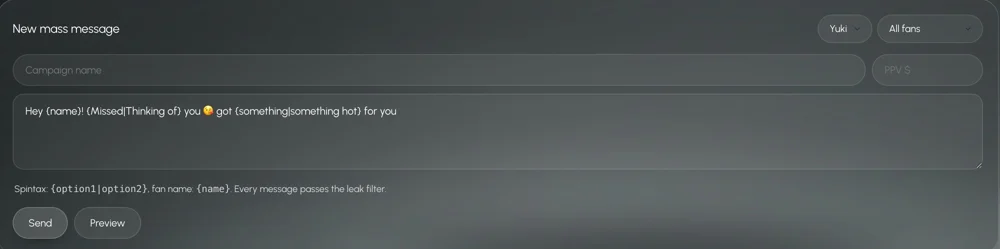
The AI chatter can run conversations inside Leeward Chat.
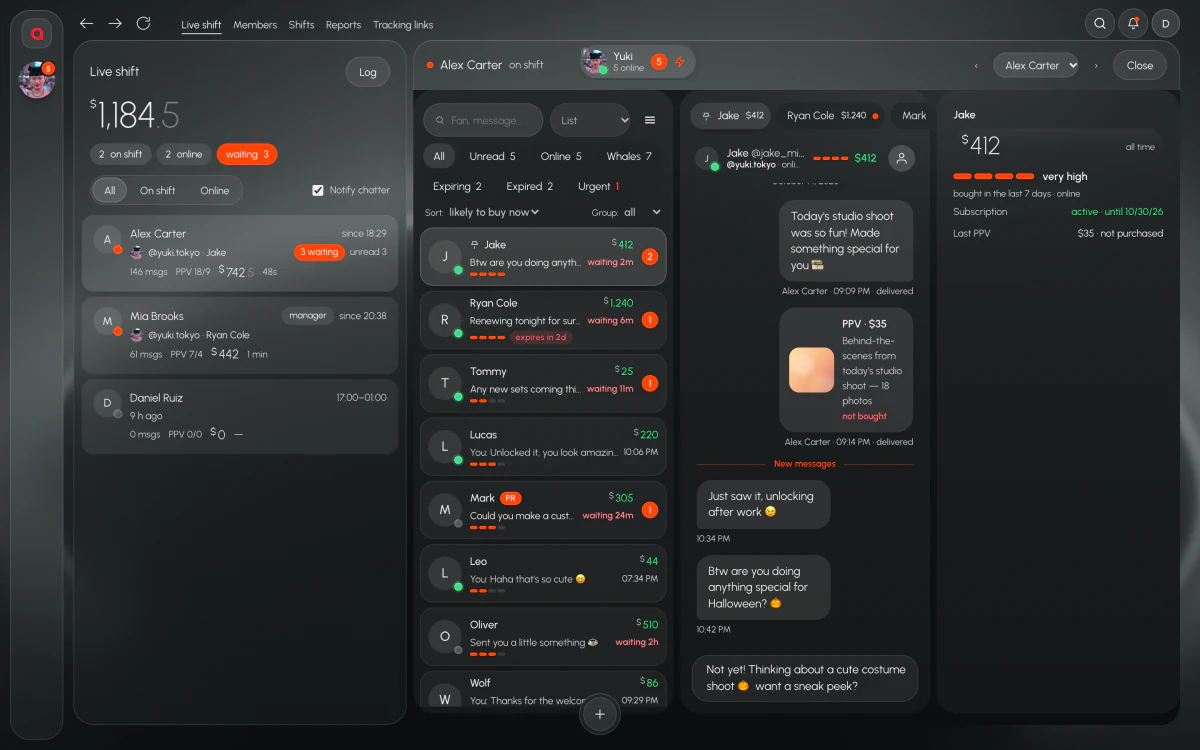
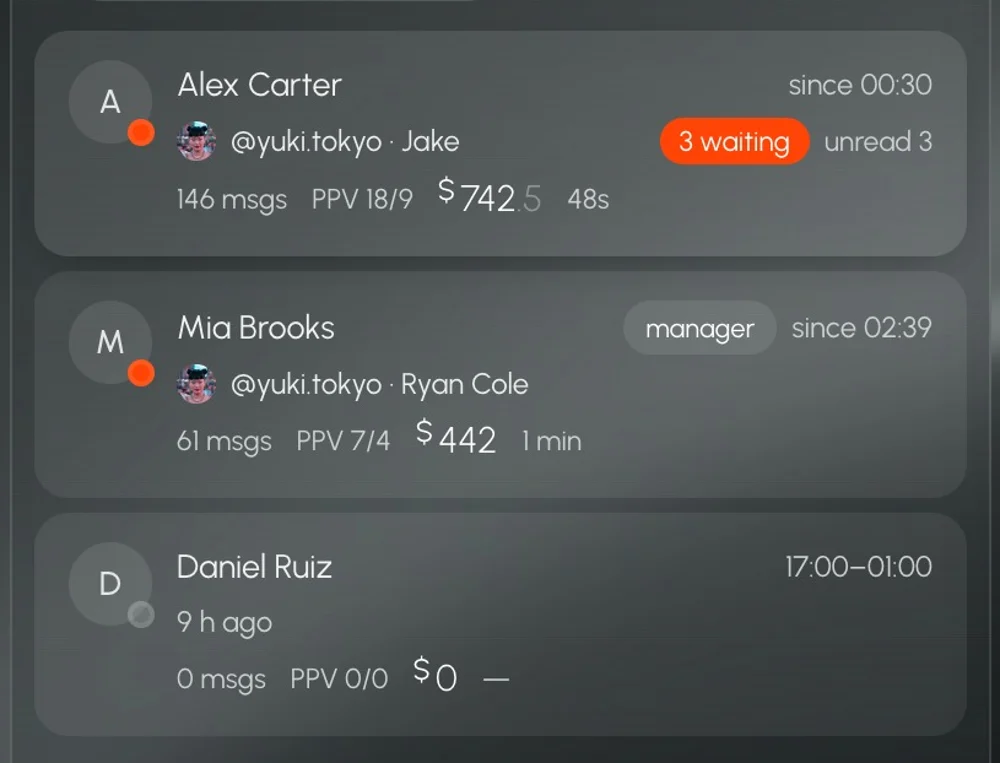
While chatters work, the manager sees the team: who is on shift, who is online, who has fans waiting, and PPV sent and bought per chatter and per shift. Any chatter can be opened in live view and notified from the same screen. When a day drops, Analytics shows why: fewer PPV buys, slower replies, shorter shifts. Payroll with hours, sales, $/hour and commission comes from the same data and exports to CSV.
Leeward is paid per connected model: Base $25, Pro $50, Max $150 a month, with individual terms for agencies with 50+ models. The price is fixed and doesn’t depend on the model’s earnings. Every model starts with a 7-day trial, and 3, 6 or 12 months up front come with a discount.
Chats, team, PPV vault, scripts, translator, base metrics, AI administrator
Everything in Base, extended metrics, alerts, analytics that explains itself
Everything in Pro, all metrics, unlimited AI chatter
50+ models, at least 2 accounts per model
Prices per connected model per month. 3 months −8%, 6 months −18%, 1 year −25%. 7-day free trial for every model you connect.
Yes. Access goes by assignment: you assign a model to the chatters who work it, and each of them sees only their own models. PPV sent and bought is counted per chatter and per shift, so you still see who sold what.
No. The model’s session is stored inside Leeward, encrypted, and chatters work through it. A chatter never sees the model’s password.
Send them an invite link. They join through it and see only the models you assign to them.
Yes. OnlyFans and Fansly models are worked in the same Leeward Chat.
7-day free trial for every model you connect.