Chatting with fans in any language: translator and glossary for OnlyFans & Fansly teams
Many agencies hire chatters in countries where English is not the first language, while fans write in English, Spanish, German and more. The usual fix is a browser translator in another tab. It works, but it costs minutes on every message, and the model’s voice gets lost on the way. Here is how to set up translation so it helps sales instead of slowing them down.
What goes wrong with copy-paste translation
A chatter copies the fan’s message into a translator, reads it, writes an answer, translates it back, fixes what looks odd and pastes it into the chat. On a quiet shift that is fine. With ten open conversations it turns into the main reason fans wait.
- Reply time grows. Every message makes two trips through another tab. Fans who wait leave, and PPV that would have sold doesn’t.
- Slang breaks. A translator turns pet names, inside jokes and the model’s nickname into something literal and strange.
- Every chatter translates differently. The same fan talks to three people across the week and hears three different voices.
- Mistakes go unnoticed. Nobody checks what was pasted, so a wrong word stays in the history.
How the translator works inside Leeward Chat
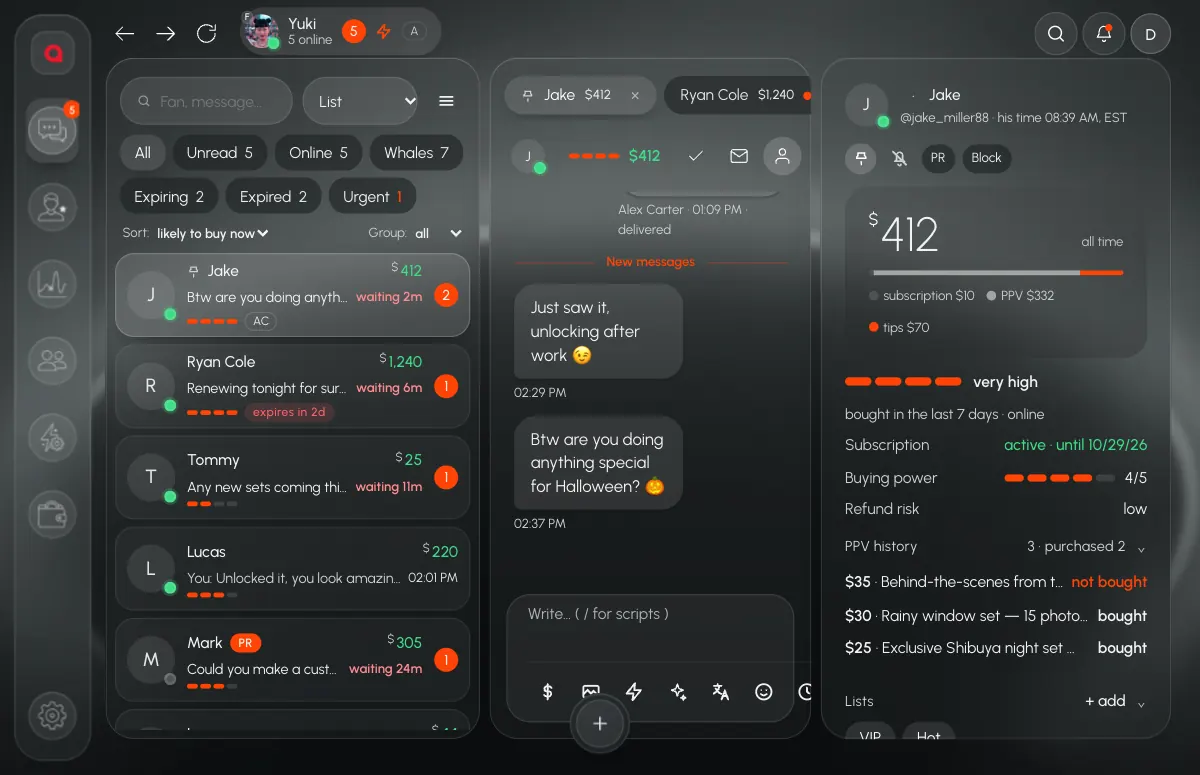
In Leeward the translator is part of the chat, not a separate site. It sits in the tools panel next to scripts and the vault, so a chatter never leaves the conversation. It works for Fansly and OnlyFans models, since both live in one app.
Incoming messages
Turn on auto-translate incoming and the fan’s messages arrive already translated into the chatter’s language. The chatter reads, understands and answers without switching anything.
Language pair
Two selectors set the direction: Fan → is the fan’s language, Me → is the chatter’s. Set them once per conversation. A Spanish-speaking fan and a German-speaking fan can be handled by the same chatter in the same shift.
Drafts
The chatter writes in their own language and translates the draft before sending: ⌘T opens the translator, ⌘S translates the draft. The result lands in the input field, so the chatter can read it, fix a word and only then send.
The agency glossary
The glossary is a list of “term — translation” pairs that the owner or a manager keeps for the agency. Put in the words that must always come out the same way: the model’s nickname, pet names she uses, names of her sets, phrases she never says. Translation then follows your vocabulary, not the translator’s guess, and every chatter on the team writes with the same voice.
Where translation hurts, and what to do instead
A translator is good with full sentences and plain meaning. It is weak exactly where chat sales live.
- Short flirty lines. Two or three words with an emoji often read worse after translation than before. Let chatters write these directly, or keep ready versions in the fan’s language.
- Emoji and tone. The translator keeps the emoji, but not always the mood around them. Read the draft before sending, every time.
- Scripts. Keep your sales scripts in the fan’s language, not in the chatter’s. A script written and checked once in English or Spanish is better than a script translated on the fly hundreds of times. In Leeward a chatter pulls scripts with “/” right from the input field.
Simple rule for the team: translate to understand, but send words that were checked by someone who knows the language. Scripts and the glossary are where that checking happens once instead of in every message.
The interface speaks the chatter’s language too
Translation is only half of it. Chatters also need to understand the app they work in. Leeward’s interface is available in English, Russian, Ukrainian, French and Spanish, and each person picks their own language in the profile menu. A chatter in Kyiv and a manager in Madrid use the same app, each in their own language.
Setting it up: six steps
- Decide the languages for each model. Look at where her paying fans write from and which languages show up in the inbox.
- Fill the glossary before the first shift. Nickname, pet names, set names, words she never uses. Twenty good entries cover most of the work.
- Write scripts in the fan’s language. Have someone fluent check them once. Put them in folders so a chatter finds them with “/”.
- Turn on auto-translate incoming for chatters who don’t read the fan’s language, and set the language pair in each conversation.
- Train one habit: read the translated draft before sending. Translation is fast; checking takes a few seconds and saves the conversation.
- Watch reply time. Every fan in the inbox shows how long they have been waiting. If a chatter working through translation is much slower than the rest, look at their conversations and add what’s missing to the glossary or scripts.
For the full picture of how the inbox, filters and scripts work together, read how to run an inbox with hundreds of open chats. And if you bring new people in often, see how to onboard new chatters without calls.
The translator comes with every plan, see pricing. Download Leeward for macOS or Windows; every model you connect gets a 7-day free trial.