OnlyFans chatting manual: dialogue stages, tone rules and sales scripts for beginners
New chatters usually get a pile of copied scripts and a password. Then they send the same opener to everyone, offer PPV in the second message and wonder why nobody buys. Good chatting is not a set of magic phrases. It is a conversation with a clear direction. This manual covers the stages of a fan dialogue, the tone rules agencies use, how a sales script is built, ready templates you can adapt, and the mistakes that cost the most.
The five stages of a fan conversation
Almost every paying conversation goes through the same stages. A chatter who knows where the fan is right now knows what to write next.
- Opening. The fan has just subscribed or written first. Goal: a personal reply that invites an answer, not a sales pitch.
- Getting to know him. Ask about his day, work, hobbies, where he is. Remember the answers. This is what later sales are built on.
- Warming up. Hint that there is something special, connect it to what he already told you. Curiosity, not pressure.
- The offer. PPV with a short, personal caption and a clear price. One offer, then wait.
- After the answer. If he bought, thank him and keep talking, no new offer straight away. If he did not, keep the conversation warm and try later or at a different price step.
Tone rules agencies use
- Short messages. One or two lines. Long paragraphs read like a script.
- Mirror the fan. His pace, length of messages and style of humour.
- Ask, then listen. A question at the end of a message keeps the chat alive.
- Use what he told you. His name, his city, the thing he mentioned yesterday.
- Stay in the model's voice. Her vocabulary, her emojis, her limits. Never promise what she does not do.
- No copy-paste repeats. The same line sent twice to one fan breaks the illusion faster than anything.
Signals that a fan is ready for an offer
- He asks questions about the model: what she did today, what she is wearing, what she likes.
- He replies fast and writes longer messages than at the start.
- He comes back to the same topic more than once.
- He has bought before and the last purchase was a while ago.
No signals means the fan is still at the getting-to-know stage. An offer there usually ends in silence, and a fan who ignores one PPV is less likely to open the next.
How a sales script is built
A script is not one message. It is a short sequence of steps, each with a goal. A working step contains:
- Goal of the step: open, warm up, offer, follow up.
- Text as a base that the chatter personalises.
- Media and price if the step is an offer.
- Next step if the fan replies, and a separate path if he says no or goes quiet.
Keep scripts in folders by situation: new fans, quiet fans, after a purchase, expiring subscriptions. More on pricing and sending paid messages is in our guide to PPV.
Neutral templates for each step
Adapt every template to the model and the fan. Words in brackets are what you replace.
- New fan: “Hey (name), so happy you’re here! What made you subscribe, be honest?”
- Getting to know him: “Wait, you’re in (city)? What’s a normal evening like for you there?”
- Warm-up: “You said you love (topic)… I made something today that made me think of you.”
- Offer: “Made this set this morning, only sending it to a few people. Want to see?” + PPV.
- Gentle follow-up: “No rush, just tell me what you think when you open it.”
- After a purchase: “You made my day. Now tell me, how was (thing he mentioned)?”
- “Too expensive”: “Totally get it. I have a smaller set from the same day if you want a peek.”
- Quiet fan: “Haven’t heard from you in a while (name), how did (thing he mentioned) go?”
- Expiring subscription: “Saw your sub ends soon. I’d miss our chats, staying?”
Mistakes that cost the most
- Offering PPV before there is any conversation.
- Sending several paid messages in a row without a reply.
- Sending the same content twice to the same fan.
- Forgetting what the fan told you yesterday because nobody wrote it down.
- Arguing about price instead of offering a smaller step.
- Pushing a fan who just bought. Let him enjoy it first.
Running this manual in Leeward
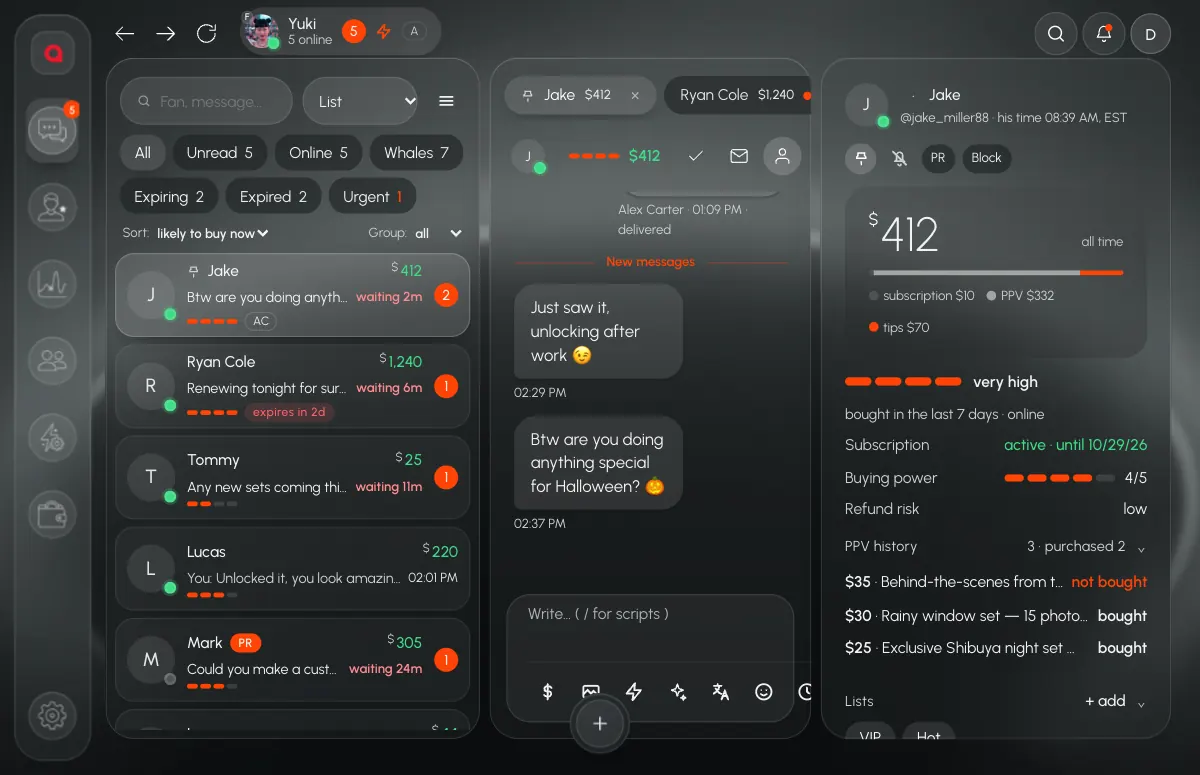
In Leeward the manual lives inside the chat. Owners and managers build the script library in folders, and a step can carry a PPV price and media. A chatter types “/” in the message box to pick a step, and for each fan sees how many steps are done and whether that step's PPV was bought. Multi-step scenarios show the current step and the next one above the message box, so a beginner does not lose the thread. A starter set of scripts helps a new agency begin.
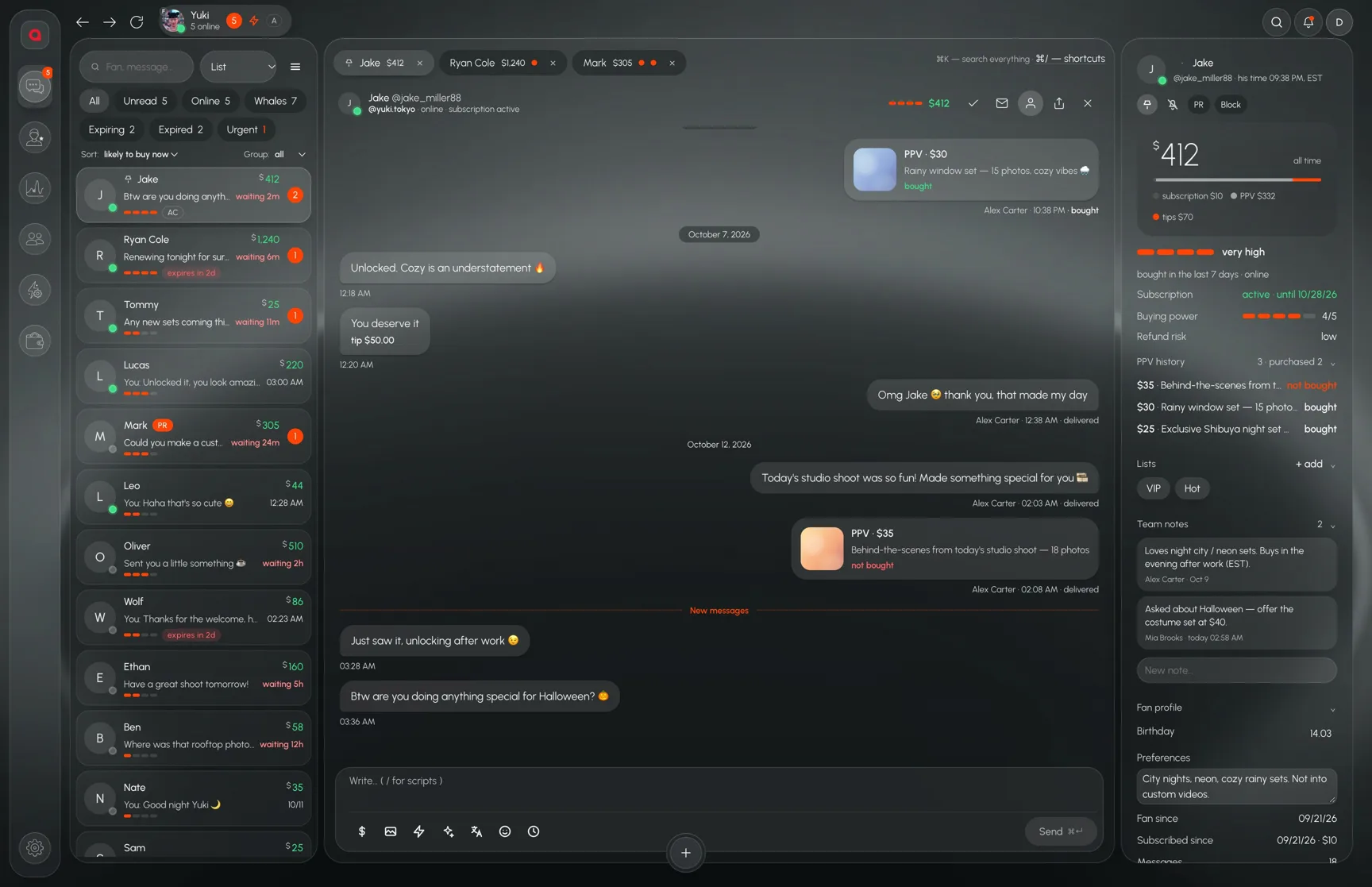
What the fan told you goes into team notes in his panel, next to his PPV history, so the next shift continues the same conversation.
New chatters also learn the tools themselves, which is covered in how to onboard chatters without calls. Leeward runs OnlyFans and Fansly models in one desktop app, priced per model, see pricing.
Every model you connect starts with a 7-day free trial. Download Leeward and put your first three scripts into folders today.